Thursday, September 26, 2013

Jimmy Freckles, the Asteroid Boy--Character Design meme


Line art: drawn and inked in my trusty dusty sketchbook, scanned into Photoshop, cleaned up and detailed.
 
Background turned into a layer and turned to Multiply.  Created another layer and placed underneath to add color.  Created the title in Illustrator and copied/pasted into Photoshop.

Tuesday, September 10, 2013

CMI Promotional Video Art

Content Marketing Institute commissioned me to do some Star Wars-esque art for a promotional video for CEO Joe Pulizzi's new book. Here's the link to the video:
youtube CMI promotional vid
Here's CMI's website:
contentmarketinginstitute.com/

 The effects of bad content marketing

Jedi Joe to the rescue!

Jedi Joe confronts bad content marketing

Jedi Joe defeats bad content marketing
  
Is this the end of bad content marketing???

"Hmm..."


 Group reading

Sound advice


Adobe Illustrator CS2

Monday, August 12, 2013

Freelance Art for CMI

The Creative Director for Content Marketing Institute contacted me to do a number of customized illustrations to use for an e-book, their blog, and a book written by their CEO.  I'll post the art for the book after I receive payment for the art.  Until then...
The art direction for these four e-book illustrations had me imitating the art style of this video  --a sort of slick cartoony marker rendering.  They also asked for a sort of "everyman" to appear in various circumstances, to which we now refer to as "The Dude".
 
I submitted freehand sketches first for approval, then opened the sketches in Illustrator and traced/streamlined them.  These illustrations will go into an e-book.

These next illustrations went into a number of CMI's blogs.  The first batch they considered too "stock"...
These next illustrations they asked to do in "The Dude" style, so back to the cartoony style--
 
The direction for this suggested something like a dragon with "Lead Gen" on it somewhere, and someone with a sword.  I thought a biker beast with "Lead Gen" graffitied on a leather jacket versus a sci-fi ninja chick with an energy sword would be less generic
They asked me to do a color version of this toolbox to go with a presentation--

Tuesday, February 26, 2013

Three samples I created for a potential client showing "business" illustrations they could use for their blog.  

Adobe Illustrator CS2

Monday, February 4, 2013

Groovy Doom Blog Header

http://groovydoom.blogspot.com/
My buddy Bill asked me to create a header for his blog Groovy Doom where he reviews horror movies which fall within his favorite genre.

I started a new file, 700 pixels wide by 430 pixels deep at 72 ppi (the size of the header on his blog at the time).  I opened a photo of my pal Skully the Skeleton in Photoshop and, using the Move tool, dragged and dropped the photo right into the new image space, creating a new layer.  Now I had the Background layer and Layer 1.

Skully's photo was waaay too big for the small image size (the original photo was 2176 pixels wide by 3384 pixels high at 300 ppi!).  So, with Layer 1 selected I hit Ctrl+t (Free Transform) to put a Free Transform bounding box around the photo.  Then, holding the Shift button, I manipulated the corner nodes and shrank the photo down until the head fit inside the image area.  Once done I tapped Esc.

To erase the unnecessary background, I used the Pen tool to outline the skull, which creates a vector mask.  I right-clicked over the vector mask to get the Make Selection... option and pressed Okay.  I deleted the Shape 1 layer in my Layers palate so I was left with just marching ants.  I inverted the selection (Ctrl+Shift+i) so I had the entire background selected, then pressed Delete.  This left just the skull on the top layer and the Background layer showing underneath.

I adjusted the colors (Ctrl+u brings up the Hue/Saturation dialog) of the skull and Background layer, manipulated the layer styles and blending modes until I came across something appropriately creepy.  I flattened the layers (Alt+l+f) into one Background layer, then saved the file as a .png.

Opening the .png in Illustrator, I used the Pen tool to draw the letters for "Groovy".  I knew I wanted the two o's in the middle placed over the eye sockets of the skull.  When the letters looked close to what I wanted, I opened the Effects/3D/Extrude & Bevel... option.  Manipulating the Custom Rotation box with the Preview checkbox checked, I rotated the letters to match the angle of the skull.  Attempting to move the shape nodes of the original shapes caused the 3D effect to blink out and lose the colors (If I'd have remembered what I wrote about this tool in a prior blog on my DeviantArt page http://vallianteffort.deviantart.com/gallery/?offset=96#/d2e7iai I wouldn't have gone anywhere near it!).  Once finished I selected all the letter shapes and went to Options/Expand Appearance which converted the 3D effect into vector art (with an excessive amount of nodes and layers of shapes!!  Would rather have created the letters freehand with just the Pen instead of using this tool.)

For "DOOM" I used the typeface Impact.  After typing I turned the type into vector shapes via Ctrl+Shift+o.  I then went to Filter/Distort/Roughen... and used a setting like Size: 1 and Detail: 18 with Relative and Smooth radio buttons selected.  With "DOOM" selected I copied and pasted another version in front, offset the two copies, and played with the colors, Blending modes, and Transparency until I found something I liked.

I'd like to go back in and make some little changes, like the distance between the o's and the size of the D in comparison to the M, but otherwise I'm happy with this, and so was my buddy.  :)

Photoshop CS2/Illustrator CS2

Sunday, July 29, 2012

Cardinal!

 
The cardinal might be a little lonely (Illustration Friday theme).
Adobe Illustrator CS2

Saturday, June 23, 2012

Illustration Friday meme: Space!

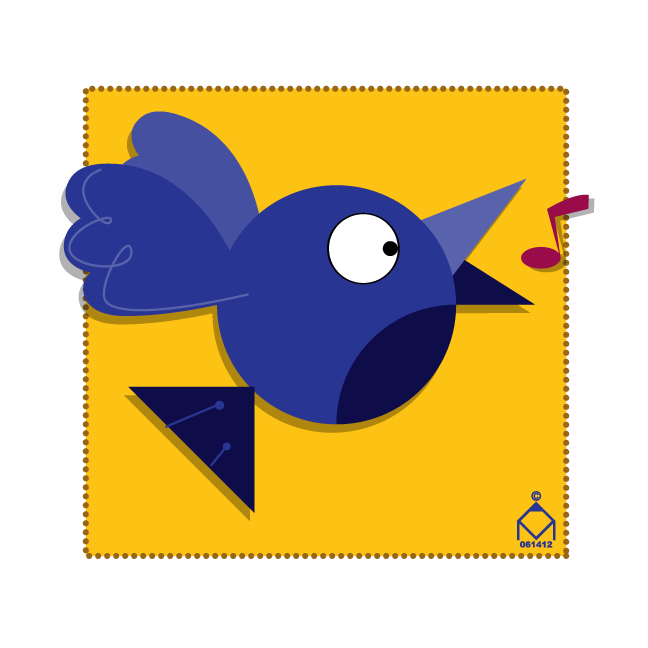
 Songbird
Bluebird

I made sure to leave a lot of space around the birds so they'd stand out. :)
Just working with simple shapes and colors.  Ever see any of the Ed Emberley drawing books?  As a kid I loved how he could create anything from a horse to a pirate ship with just the simplest shapes. :D

Adobe Illustrator CS2

Thursday, June 21, 2012

Community Passages Logo Part Deux


As it turns out, I won the company logo contest (WooHoo!).  My unit director decided to go in a different direction than my previous entry and showed me an example of what he had in mind.  I came up with these logos next and apparently I'd nailed his idea.
The top part represents a path, just a simplified abstract icon.  I created a couple dozen different shapes along the same lines and these two captured the correct "path" feel I'd wanted. :)
Adobe Illustrator CS2

Tuesday, February 7, 2012

Community Passages Logo Concept

The company I work for, Community Passages, is a subsidiary of Resources for Human Development.  Community Passages provides assistance to mentally and physically challenged individuals.  The big wigs decided to host a competition for Community Passages employees to create a company logo.  Obviously a challenge right up my alley, I designed this logo:  
The C and P initials make up the outer heart shape;
The heart stands for the heart we have for our special needs individuals we work with, and also our heart for making "passages" for them into their communities;
One side of the middle "split" represents our individuals; the other side the community;
The clasped hands represent integration between our individuals and community;
The hands and opposing colors crossing over the middle represent crossing over barriers of separation between our individuals and community;
The orange and purple are color compliments, both of which are generally considered "passionate" colors.
While a little too small to be seen in the logo, in the hands I attempted to add some extra dimension, creating little spaces in between shapes to make an illusion of some shapes in front/back of others.  I've done this in other illustrations like the Armor of God and Kitty Cop, trying to get something more 3D from flat 2D line art.

I used my phone cam to take a photo of my wife's and my hand clasped for reference.  I had to enlarge her hand since it's a good bit smaller than mine. ;)

I could probably execute my ideas behind this logo a hundred different ways (alright, maybe at least a dozen or two).  I'll simplify the hands at some point to allow more readability when downsized. :)

Monday, October 10, 2011

A Couple New Ones...

Superman
Brian Williams caricature, host of NBC Nightly News
Photoshop CS2, Wacom Intuos4

Friday, September 9, 2011

Mutant Attack

Pencil, inked, scanned, Photoshop colored.  Background detail done in Illustrator.  Not my best, but I like the action, composition, and perspective. :)
Illustration Friday theme: Boundaries. This spacer's boundaries are about to be imposed upon by his mutated comrade.