Showing posts with label abstract. Show all posts

Monday, January 23, 2017

Bluejay, Charlie Harper, Exploring the Ruins

      I'm happy to feature my latest Adobe Illustrator CS2 illustration, inspired by master illustrator Charley Harper.  I found his book, "An Illustrated Life" by Todd Oldham, at a local Half-Price Book Store.  A several-page interview, then chock full of minimalistic, basic shape happiness. :)
"Charley Harper, an Illustrated Life" by Todd Oldham
Bluejay
     I started with a photograph I'd taken with my trusty Canon Rebel XTi.  The challenge came from wanting to stay true to the original photo, preserving shapes, colors, and details, while rendering everything in basic shapes.
Bluejay, Canon Rebel xTI
     The bold, simplistic shapes and coloring of the bluejay's head/face lent themselves to rendering in straight lines and simple curves.
     The colorful pattern on the bluejay's back went through a few iterations before I finally achieved the simplified, balanced symmetry.
At one point, still trying to simplify
     A vertical centerline runs from the left edge of the tail and through the middle of the body.  I centered the pattern--evenly-spaced triangles and arches--on the vertical centerline.
     All the up-and-down lines comprising the tail taper to the centerline at the top middle of the arch of the pattern.
     The tree limbs consist of repeating arches and "V"s.  The blue triangles and rectangle represent the sky.
     I kept the colors to a somewhat limited palette.

Tuesday, September 13, 2016

Recent Art

    I've added some new art and some revamped art.  I'm still attempting to capture a mid-century illustration feel, which has inspired me for many years.  It made a big comeback somewhere in the late '90s or early Y2K.  I just bought a big book about Charlie Harper and his art.  His amazing work back in the day inspires me to create art in the same vein.

    "Red Bird."  I used a limited number of minimal shapes while trying to retain the character and shapes of the bird.  I used a spattering airbrush texture to create the gritty effect seen where lights and shadows meet.  This adds some interest and creates a more traditional painted look.
Adobe Illustrator

Sunday, June 7, 2015

Blue Whales and Neoplasticism


I printed and hung my bird illustrations, then started thinking about what to create next.  I chose humpback whales since I haven't done many underwater creatures.  The whales have a distinctive look, with different shapes and textures I could play with.

Thursday, June 26, 2014

House Sparrow

     I captured a rather handsome house sparrow with my trusty dusty Canon Rebel XTi.  Opening the photo in Adobe Illustrator I originally aimed for a much more simplistic, cartoony bird to match other bird illustrations I've done...
Cardinal
Space
...however, this illustration grew into a contemporary retro piece.
     Sticking with simple shapes (circles, squares, lines, triangles) I decided to stay faithful to my feathered fellow's anatomy while rendering with minimal descriptionGeometric, but finessed, and daintily detailed just enough to make my sparrow recognizable and interesting. :)
Adobe Illustrator CS2

Saturday, June 23, 2012

Illustration Friday meme: Space!

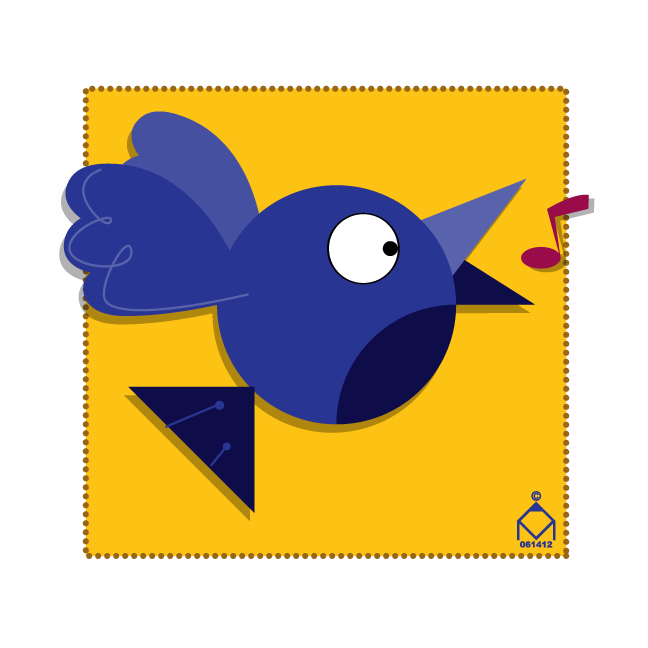
 Songbird
Bluebird

I made sure to leave a lot of space around the birds so they'd stand out. :)
Just working with simple shapes and colors.  Ever see any of the Ed Emberley drawing books?  As a kid I loved how he could create anything from a horse to a pirate ship with just the simplest shapes. :D

Adobe Illustrator CS2

Thursday, June 21, 2012

Community Passages Logo Part Deux


As it turns out, I won the company logo contest (WooHoo!).  My unit director decided to go in a different direction than my previous entry and showed me an example of what he had in mind.  I came up with these logos next and apparently I'd nailed his idea.
The top part represents a path, just a simplified abstract icon.  I created a couple dozen different shapes along the same lines and these two captured the correct "path" feel I'd wanted. :)
Adobe Illustrator CS2

Sunday, December 19, 2010

Illustration Friday-- Mail

Adobe Illustrator CS2
Tried my best to just use simplified shapes and concentrate on design, color, and composition. :)

Friday, November 19, 2010

Illustration Friday-- Sneaky

Moroccan Mark/Adobe Illustrator
This man looks like he could be a little sneaky. :) Actually, this was a friend's Halloween costume, and inspired me enough to draw a caricature of him. :)

Tuesday, September 9, 2008

Space Cat Enters Reptile Temple

Adobe Illustrator 8/CS2
    I created this at a time when I wanted to learn cartooning. I always thought of myself as a realist and considered cartooning beyond my grasp. I really had to go back to the basics.  I looked at lots of 50's modern art, abstract art, animation, Jack Kirby, and I don't know what all, to better understand basic shapes and simplification in cartooning. 😀

DJ Spooks freelance illustration

Adobe Illustrator

I created this for a lady from Kuwait I met on Flickr. She posted a photo for me to use as reference.

When I first saw the photo, I knew exactly what I wanted to do with the glasses.
I initially traced the head and facial shapes, which looked rather random and helter-skelter when I finished. I then manipulated the shapes --straightening, rounding, simplifying... trying to unify them, creating a flow with the shapes for a more graphic feel.
I used two different halftone screen sizes for the face and the cap. The sharp, detailed, and close-up photo revealed the man's pores, suggesting to me the halftone screen as how to imitate the effect. The cap was knit, and I thought the bigger halftone screen captured the feel of it well. :)